Frequently asked questions
I forgot my password. What should I do?
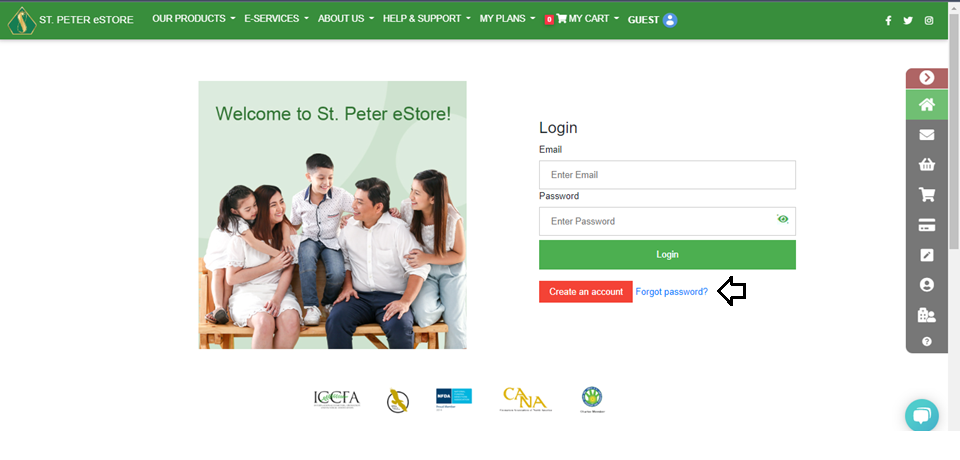
1. Go to the log-in page https://online.stpeter.com.ph/Login/LogInAccount 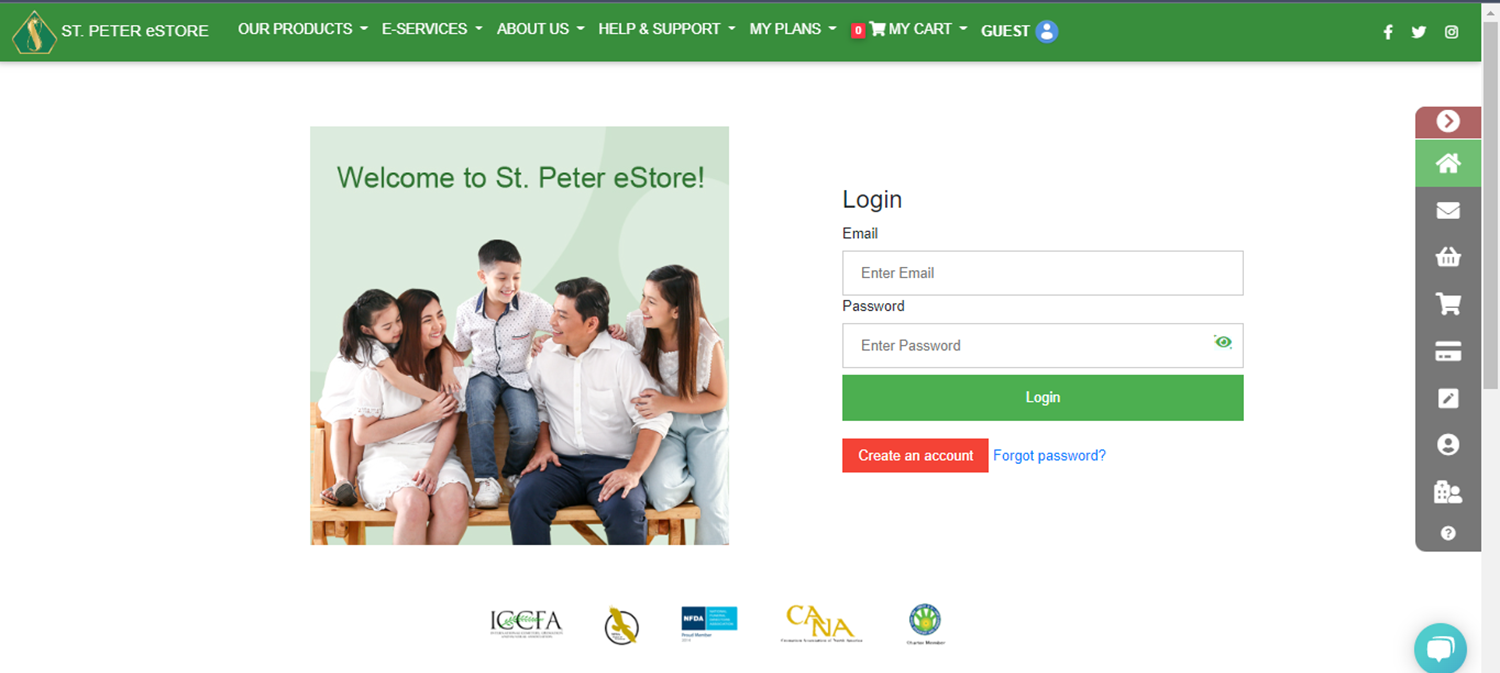 2. Click FORGOT PASSWORD.
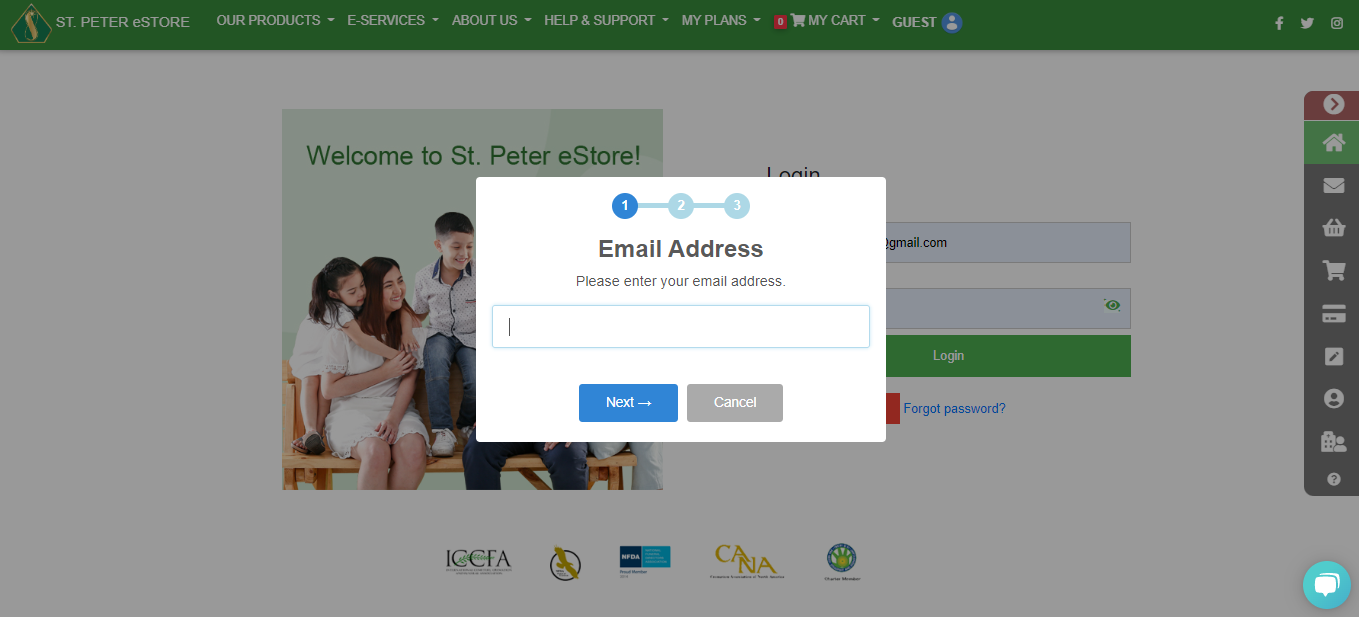
 3. Type in your email address then click Next.
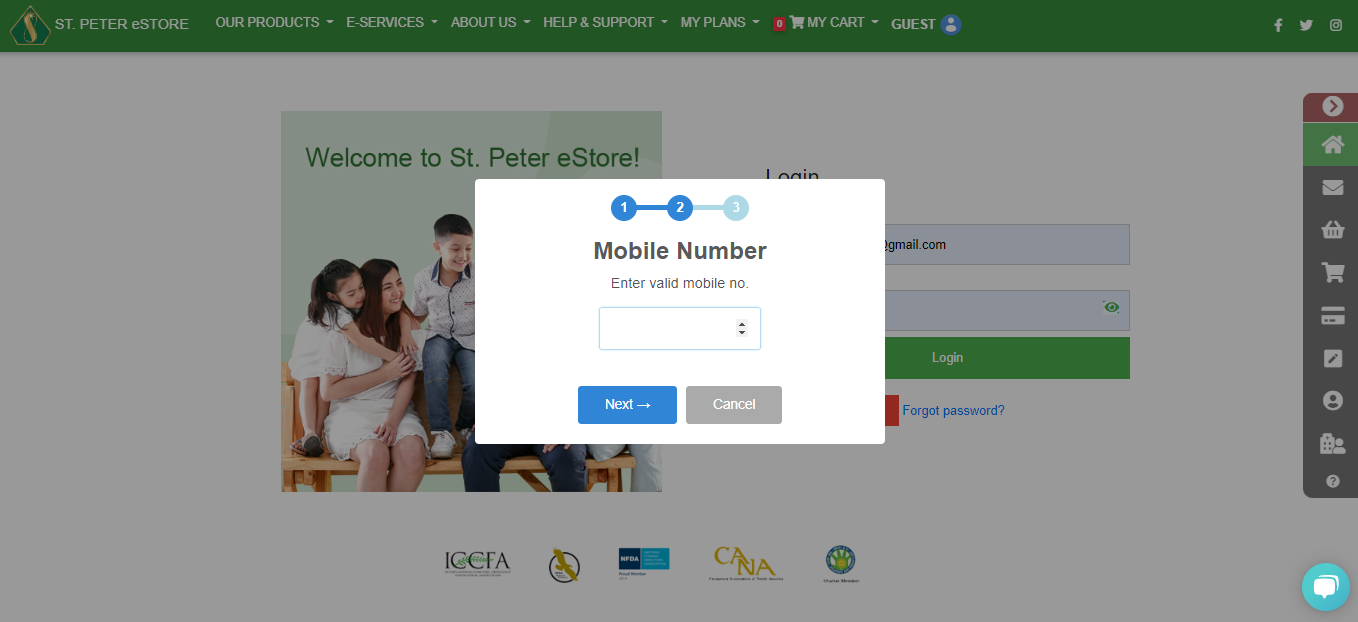
 4. Type in your mobile number and you will receive an OTP.
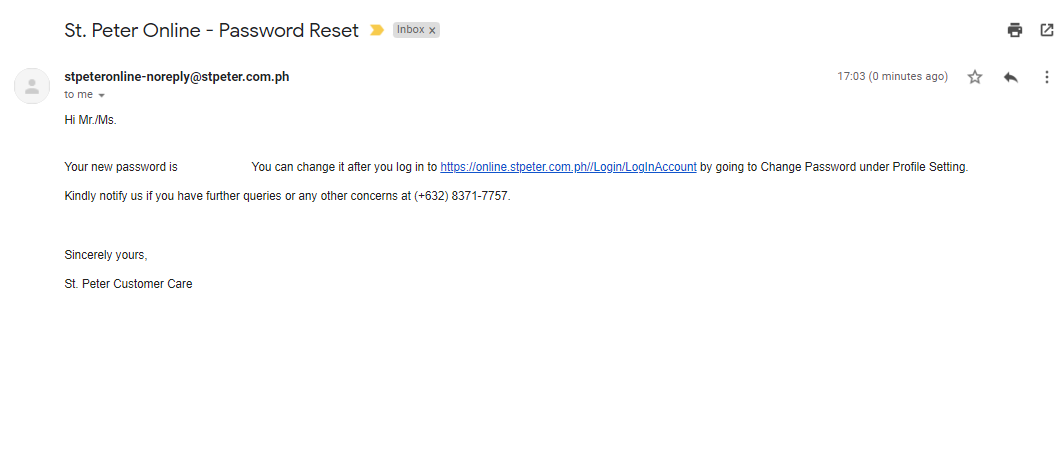
 5. You will receive an email including your temporary password. Log in to your account and change the password on the profile settings.
2. Click FORGOT PASSWORD.
3. Type in your email address then click Next.
4. Type in your mobile number and you will receive an OTP.
5. You will receive an email including your temporary password. Log in to your account and change the password on the profile settings.


