Frequently asked questions
How can I request a copy of my plan documents?
You can request for a copy of your plan documents online or through our St. Peter Life Plan branches.
For plans bought through sales agent and through our St. Peter Life Plan branches:
1. Submit a notarized Affidavit of Loss.
2. Present two valid IDs.
3. Pay the replacement fee.
For plans bought online:
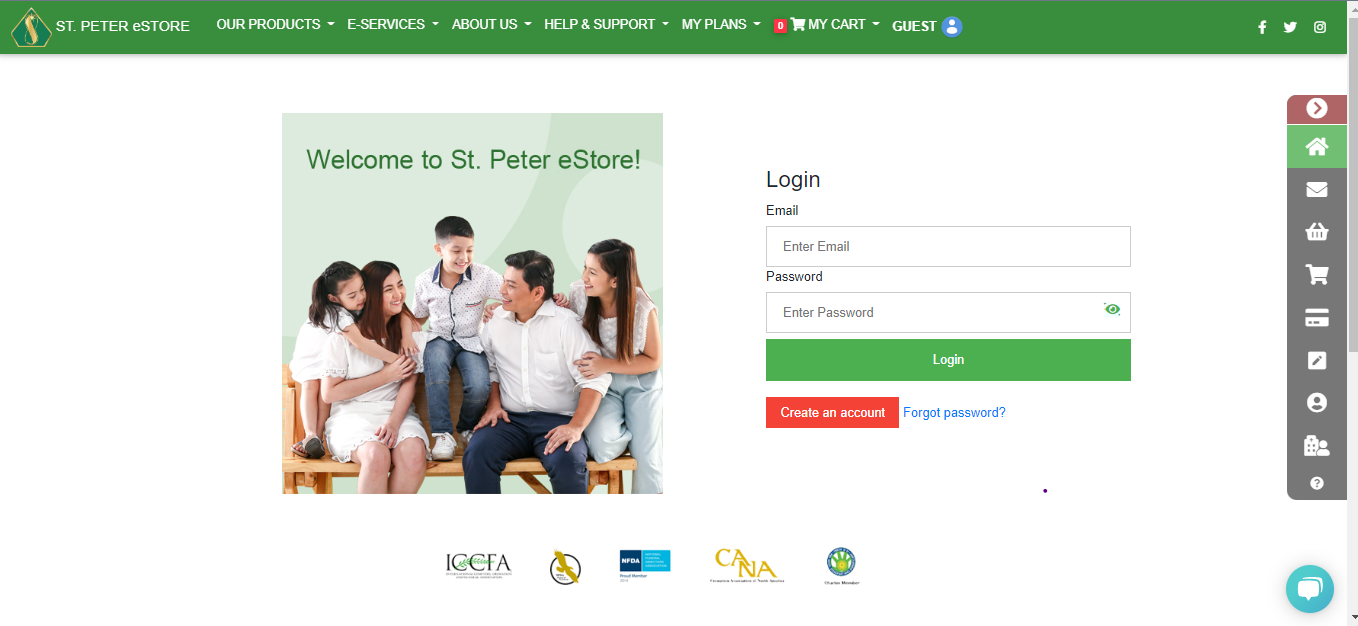
1. Log in to your St. Peter eStore account using your registered email and password.
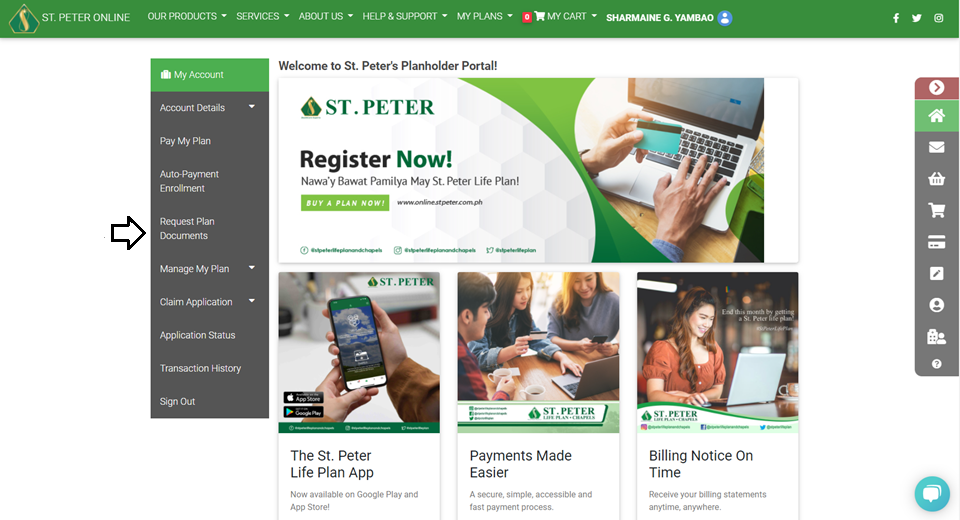
 2. From MY ACCOUNT select REQUEST PLAN DOCUMENTS.
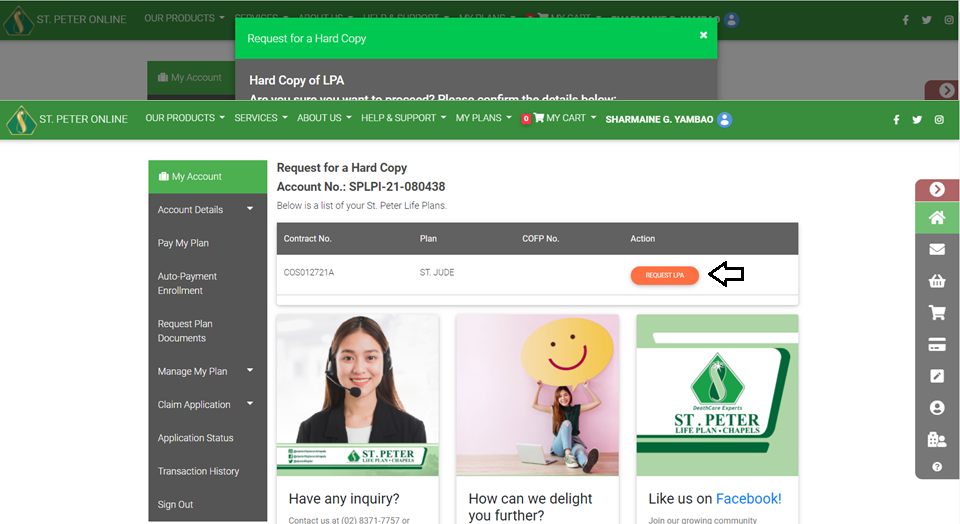
 3. SELECT THE PLAN for which you want to request a document. (Only plans purchased from the St. Peter eStore will appear.)
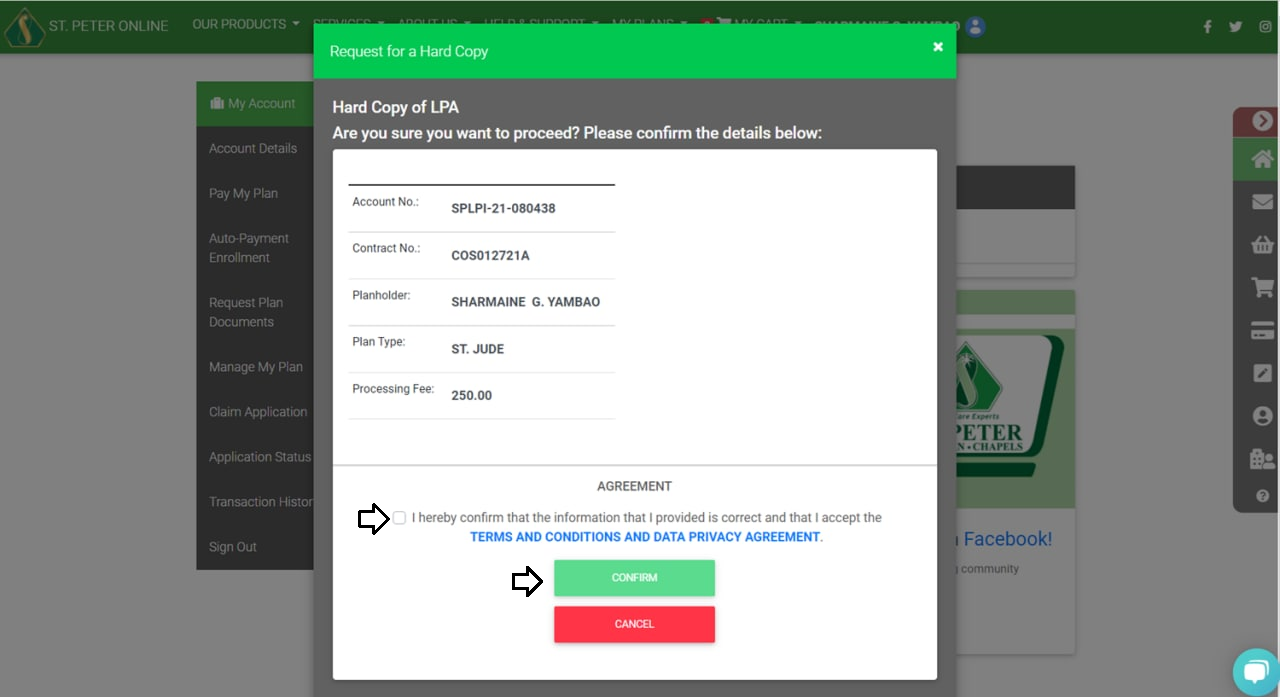
 4. Click the document that you wish to request and review your account details.
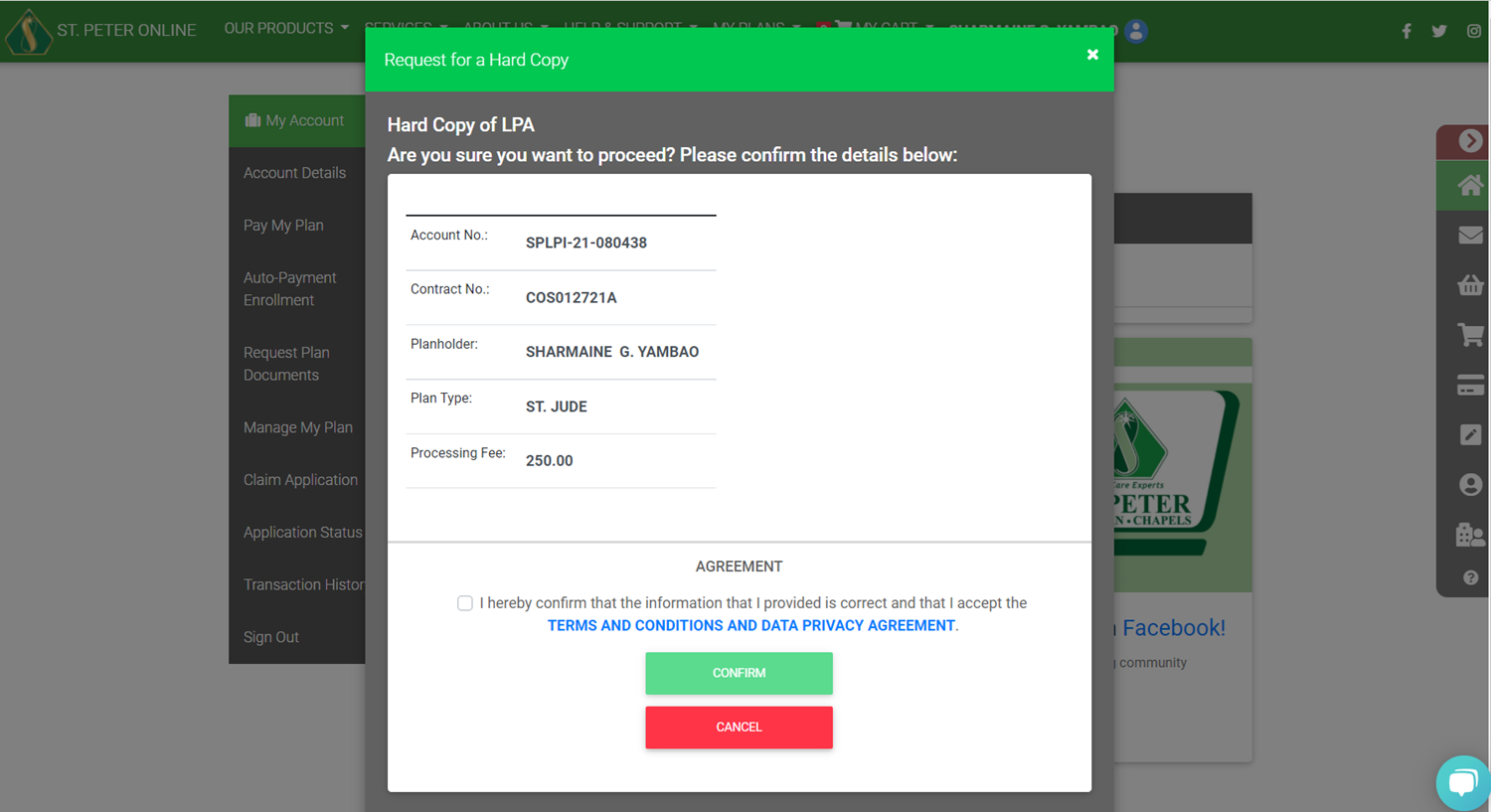 5. Tick the check box to agree to the Terms & Conditions then click CONFIRM.
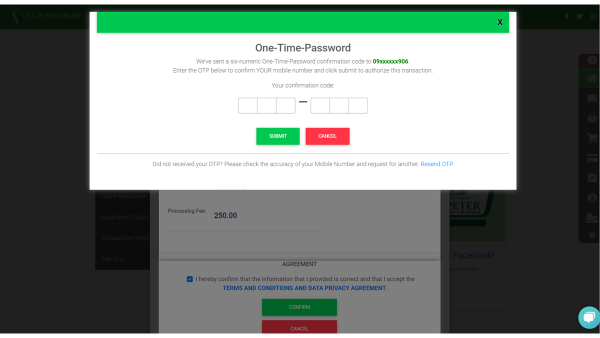
 6. Enter the One-Time-Password (OTP) then click SUBMIT.
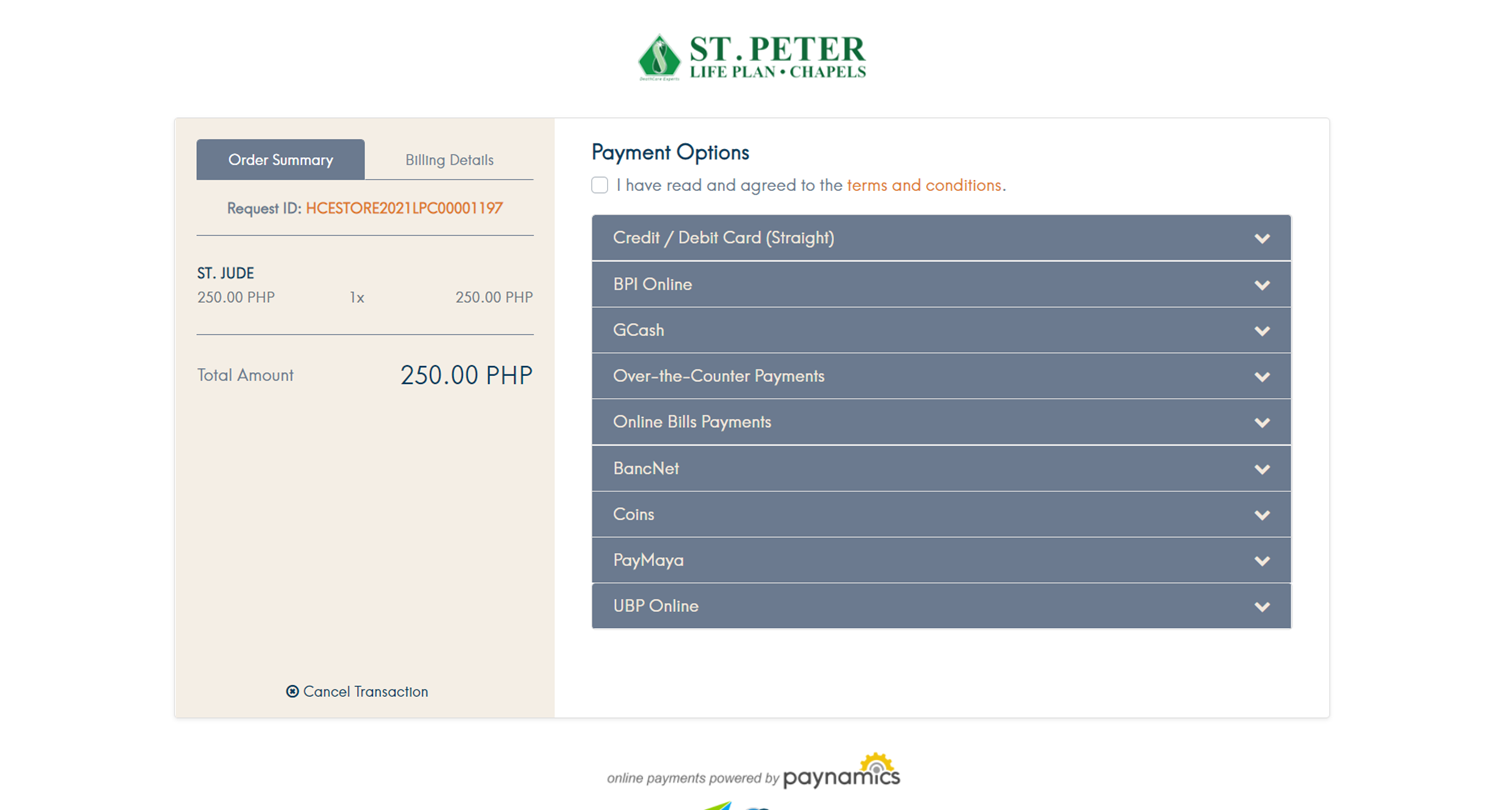
 7. Pay the transaction fee using your preferred payment method.
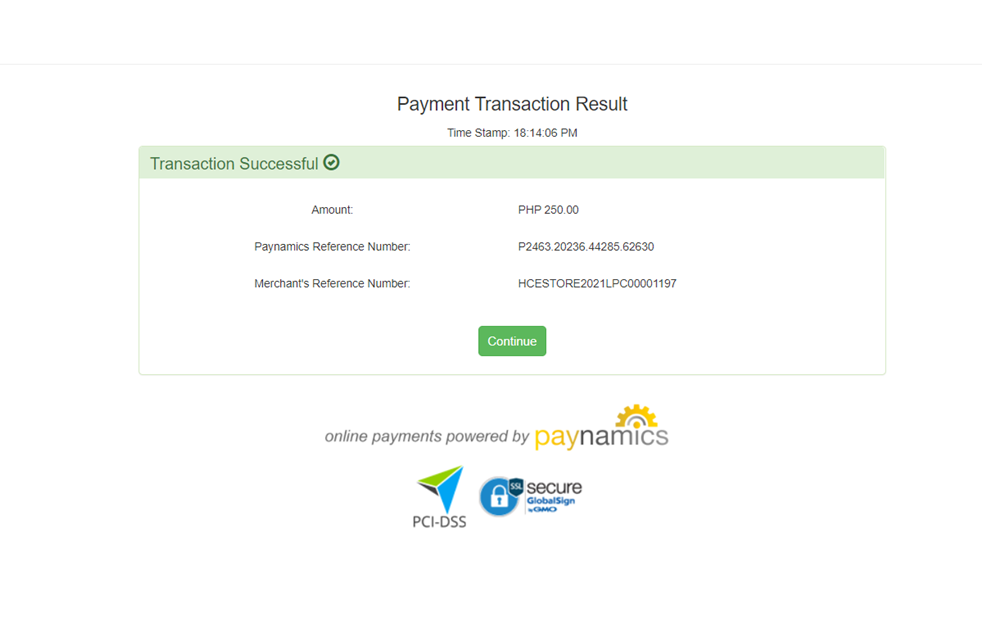
 8. Payment confirmation details and the status of the request will be sent to your registered email address.
2. From MY ACCOUNT select REQUEST PLAN DOCUMENTS.
3. SELECT THE PLAN for which you want to request a document. (Only plans purchased from the St. Peter eStore will appear.)
4. Click the document that you wish to request and review your account details.
5. Tick the check box to agree to the Terms & Conditions then click CONFIRM.
6. Enter the One-Time-Password (OTP) then click SUBMIT.
7. Pay the transaction fee using your preferred payment method.
8. Payment confirmation details and the status of the request will be sent to your registered email address.


