Frequently asked questions
How can I enroll my plan for auto-payment?
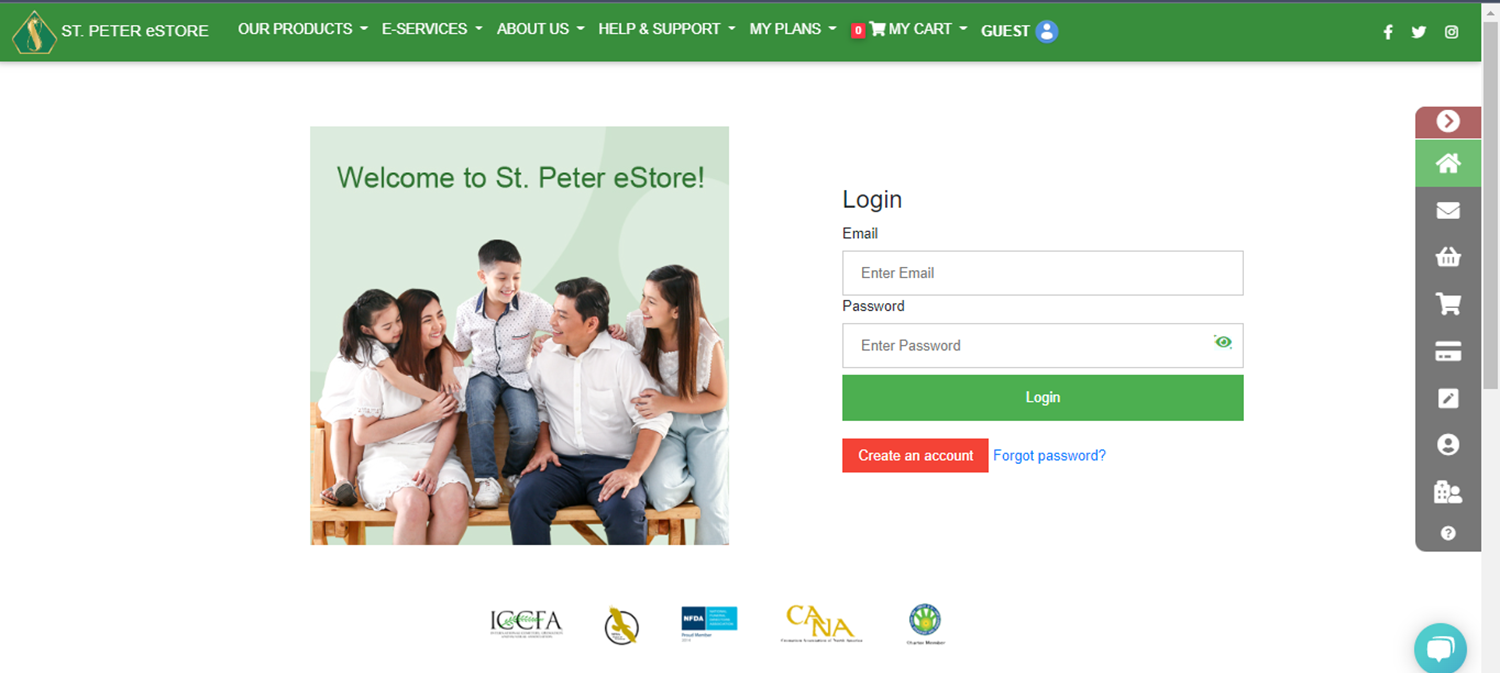
1. Sign in to your St. Peter eStore account.
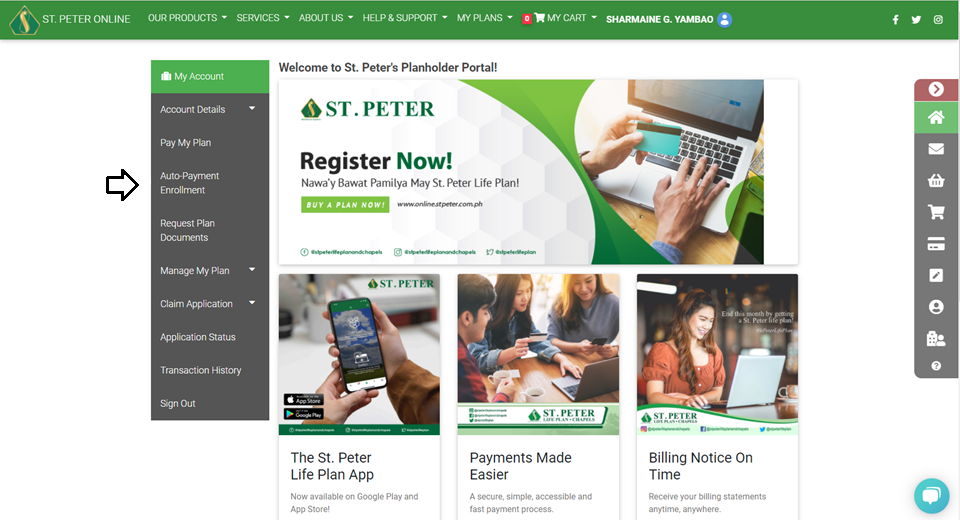
 2. Select the Auto-payment enrollment option.
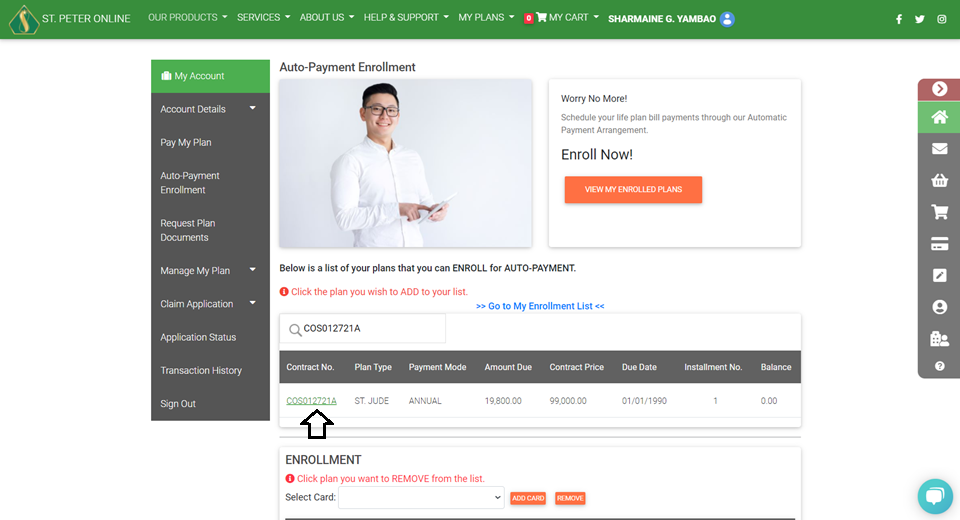
 3. Select the contract number that you want to enroll for auto-payment.
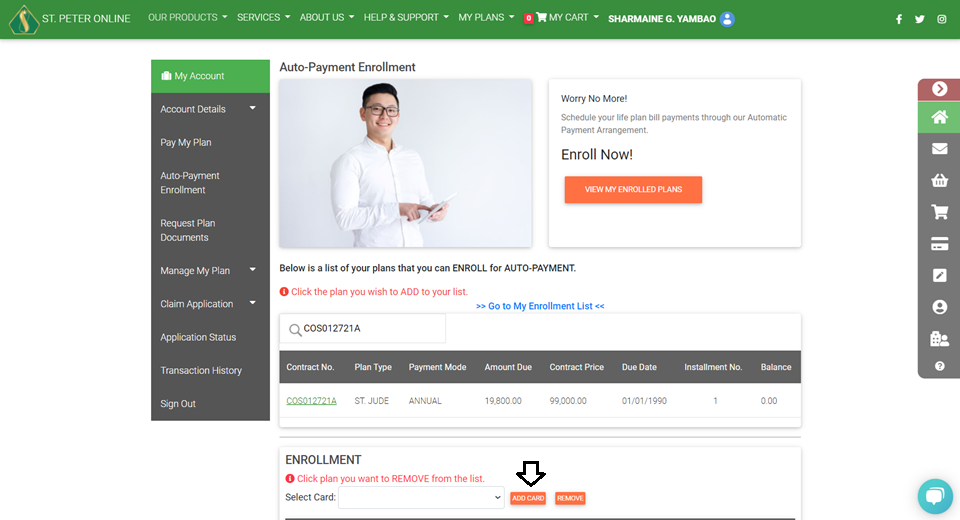
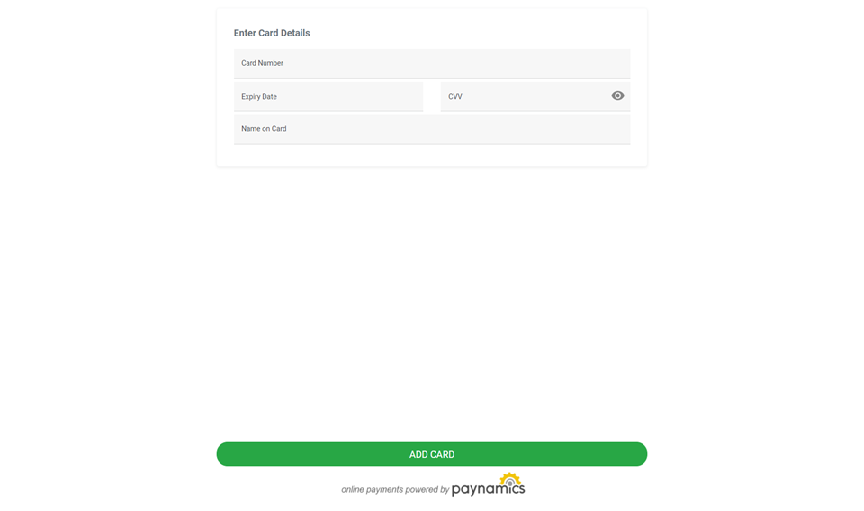
 4. Click Add card then fill in the card information.
 5. Fill out the necessary information, then click ADD CARD.
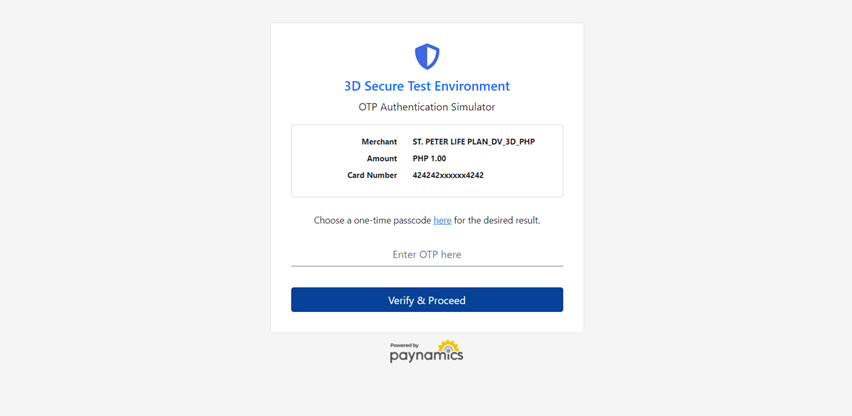
 6. Enter OTP then click VERIFY and PROCEED.
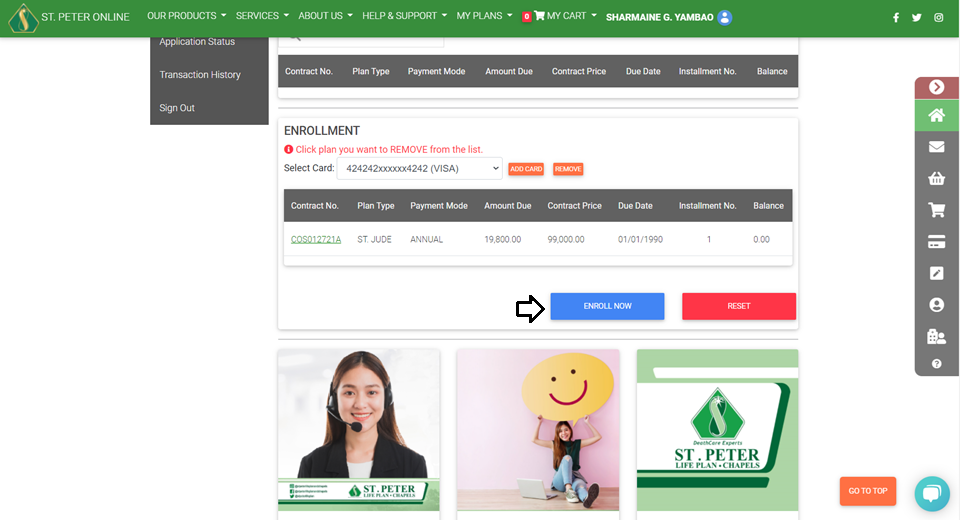
 7. Click the Enroll Now button.
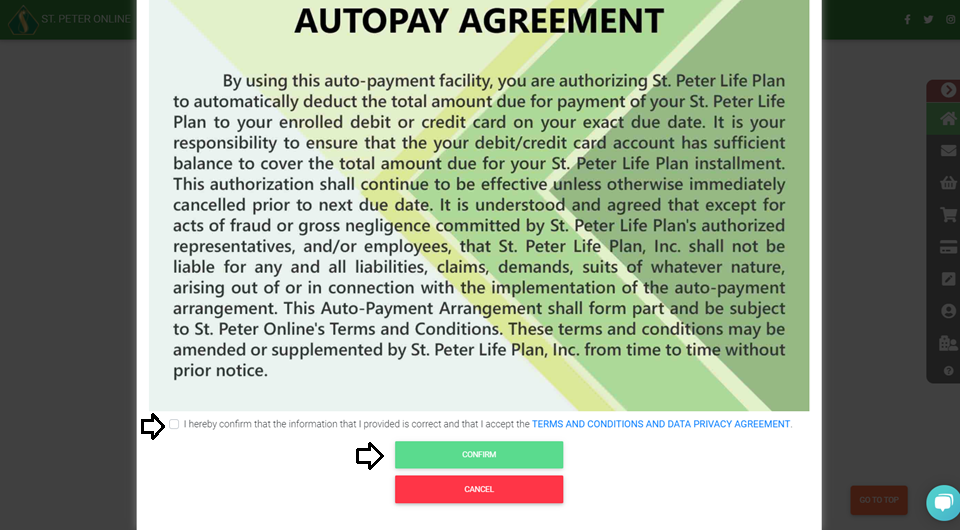
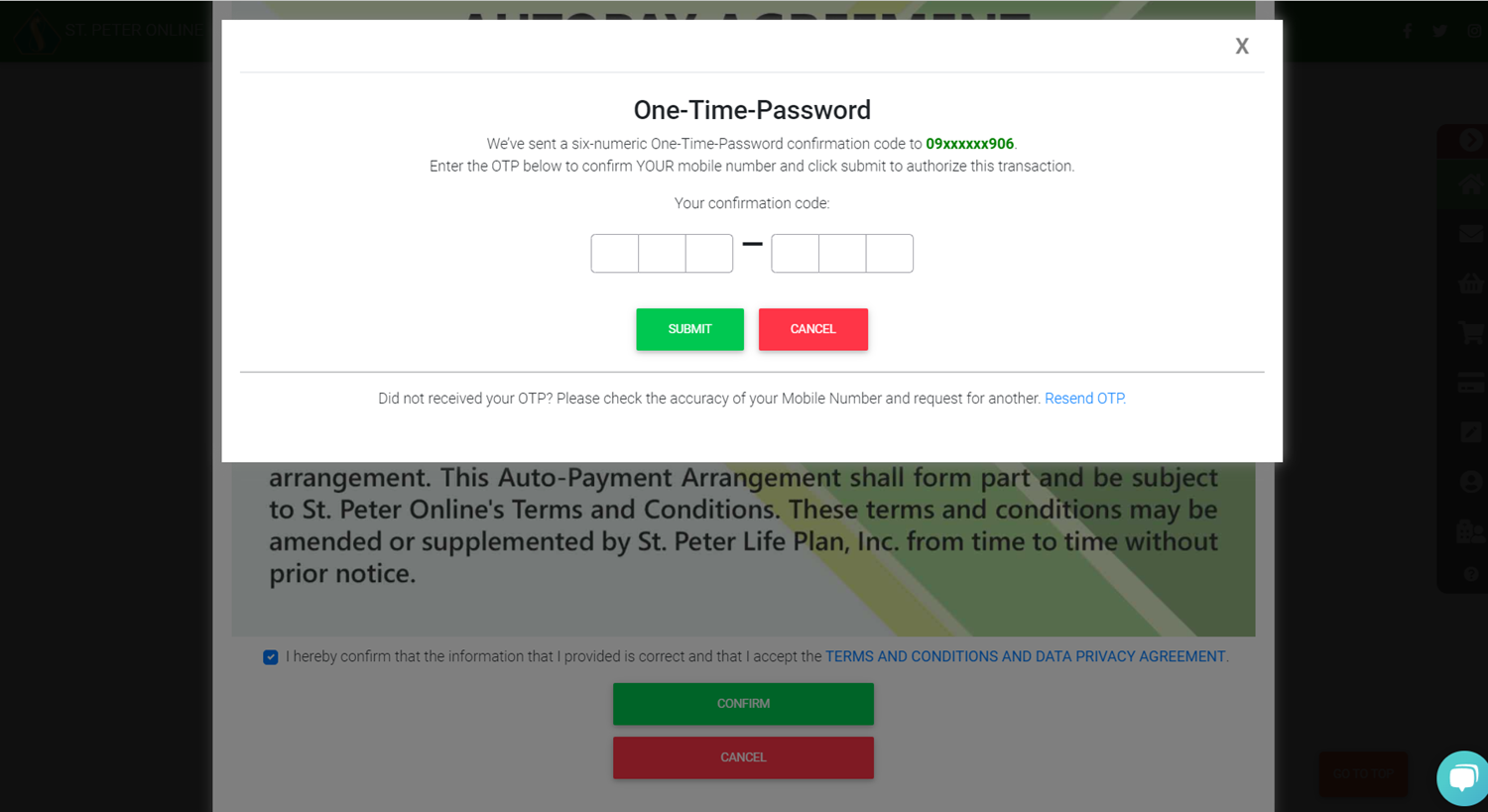
 8. Check the Autopay Agreement box, then click Confirm.
 9. Enter the 6-digit OTP sent to your registered mobile number and click Submit.
 The credit card that will be used for auto-payment must first be used at least once for payment on the St. Peter eStore before it can be registered in the auto-payment facility.
2. Select the Auto-payment enrollment option.
3. Select the contract number that you want to enroll for auto-payment.
4. Click Add card then fill in the card information.
5. Fill out the necessary information, then click ADD CARD.
6. Enter OTP then click VERIFY and PROCEED.
7. Click the Enroll Now button.
8. Check the Autopay Agreement box, then click Confirm.
9. Enter the 6-digit OTP sent to your registered mobile number and click Submit.
The credit card that will be used for auto-payment must first be used at least once for payment on the St. Peter eStore before it can be registered in the auto-payment facility.


